Recommended
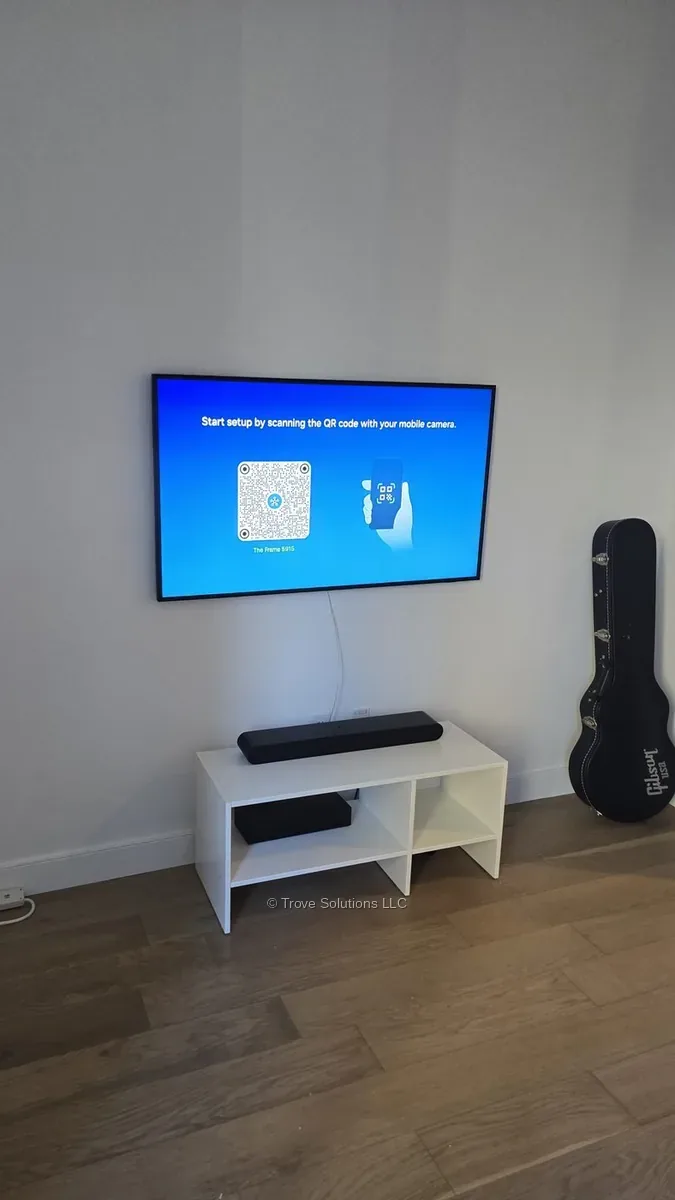
Wall mount — flush to the wall
The standard installation. The Frame TV sits directly against the wall, creating the picture-frame illusion.
Same-day or next-day, anywhere in Manhattan & Jersey City. Book online in 2 minutes.
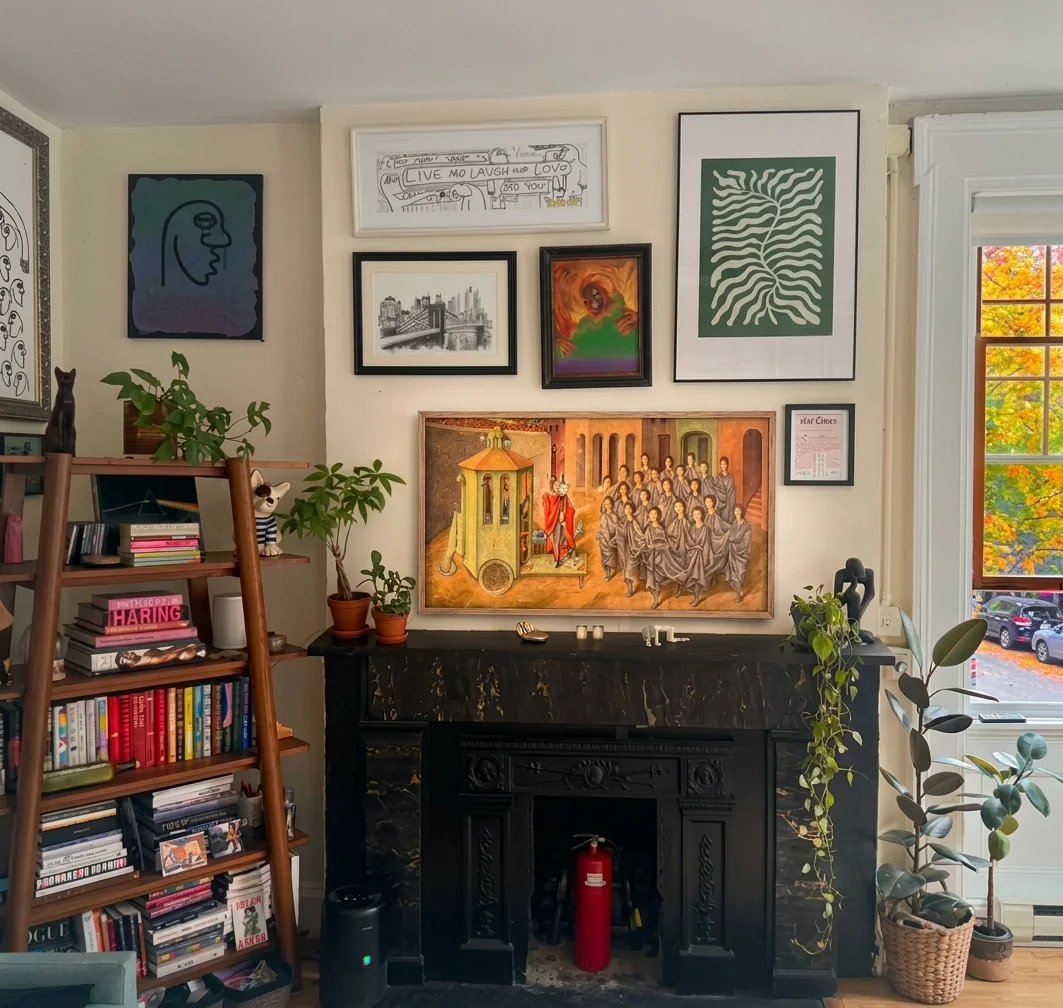
We install Samsung Frame and other Frame TVs — and we mount all other TV models too.
The standard installation. The Frame TV sits directly against the wall, creating the picture-frame illusion.
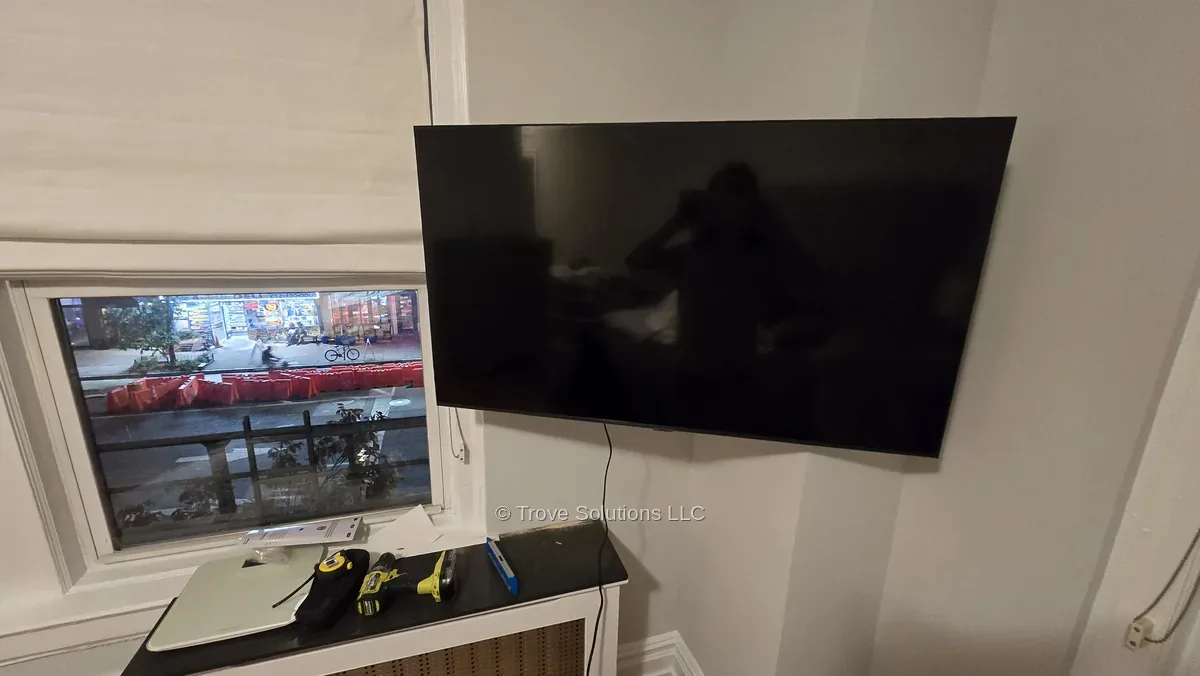
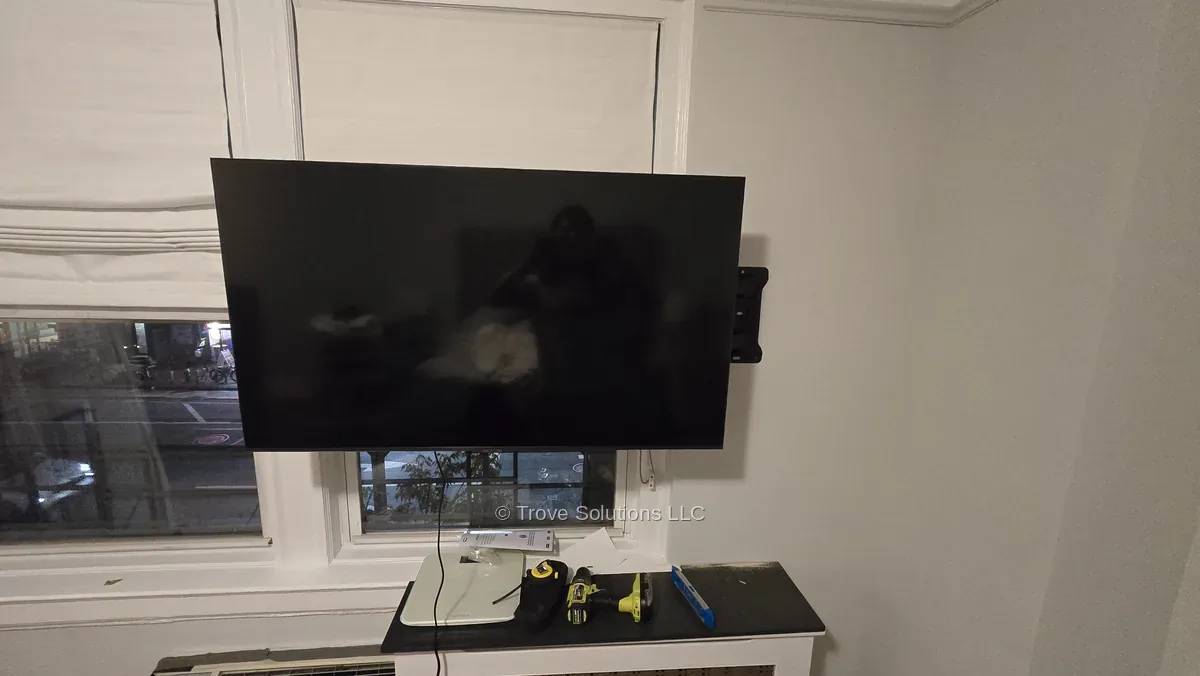
With a separate full-motion arm (purchased by you), the TV can be angled — even into a corner. The flush art effect is lost, but you gain flexibility.
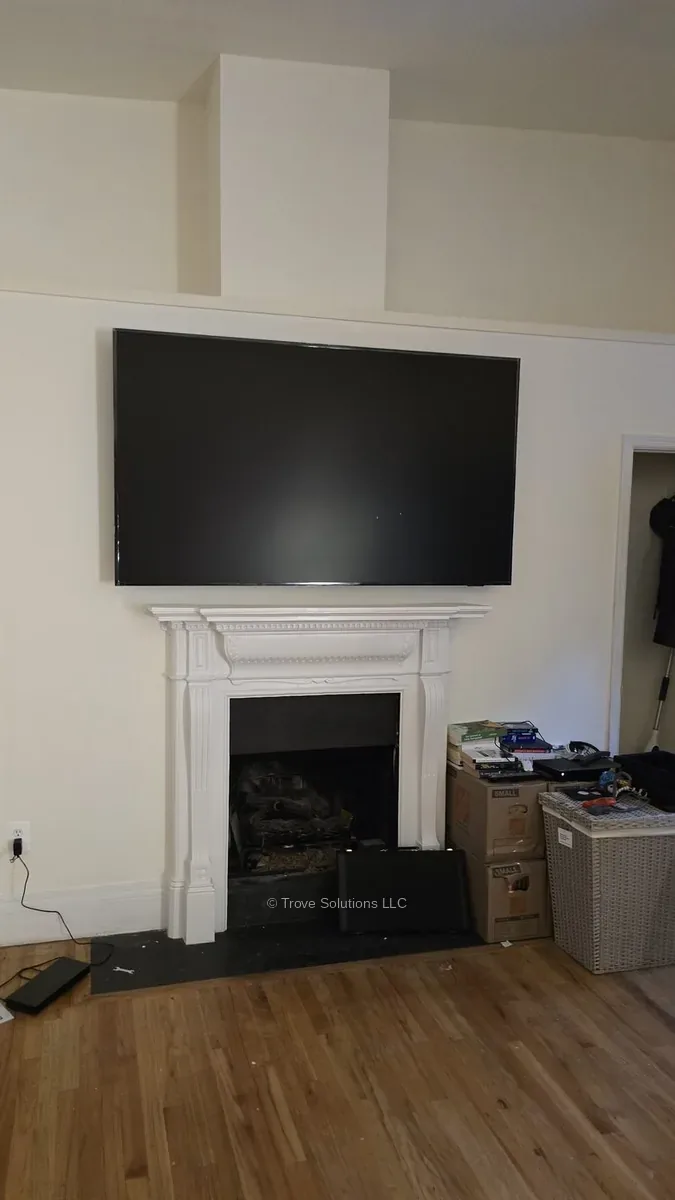
Standard flat installation with the original mounting kit. For a high fireplace, a two-position tilting Fireplace TV Mount (purchased separately) lets you angle the TV down for comfortable viewing.
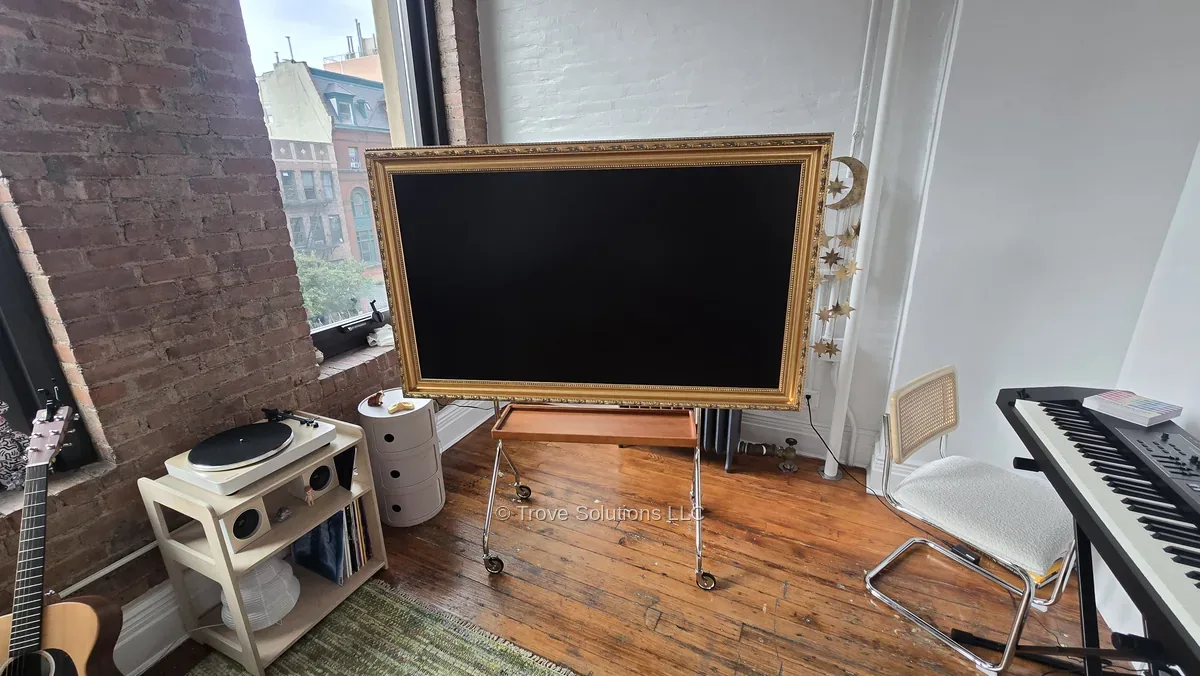
A freestanding floor stand that looks like an artist's easel. No drilling — good for renters or walls you can't mount on.
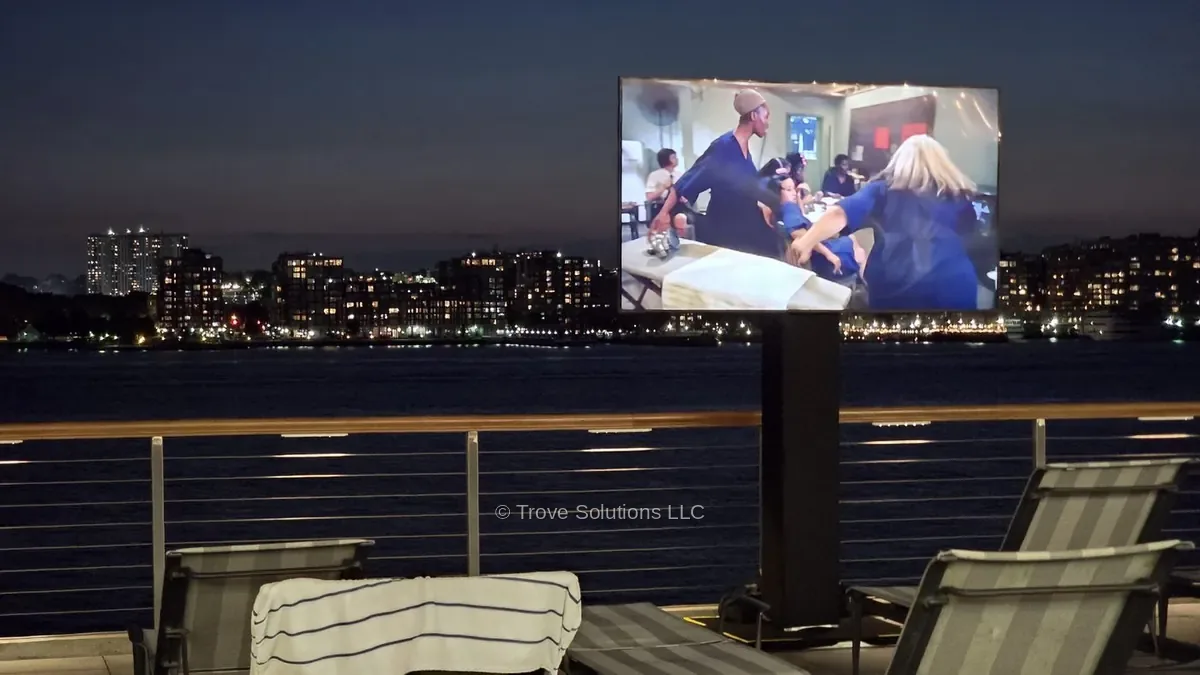
A mobile stand on wheels — move the TV between rooms or use it outdoors. No drilling. Outdoors you need stable ground and shelter from wind: strong gusts can tip the stand over.
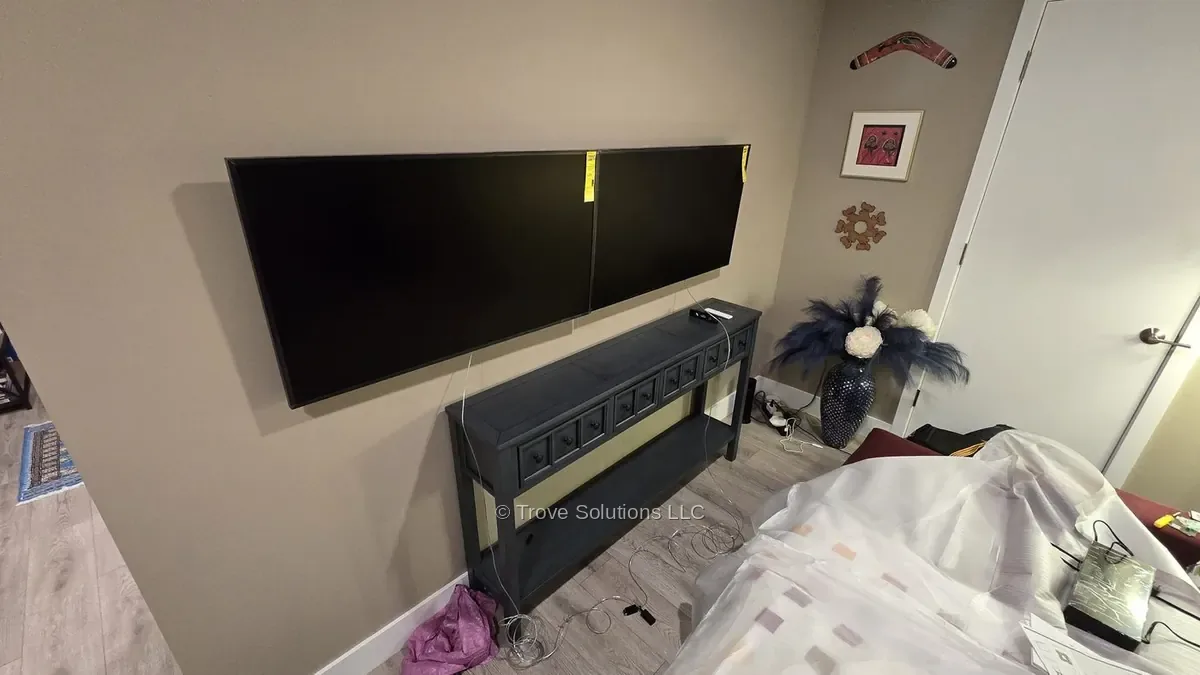
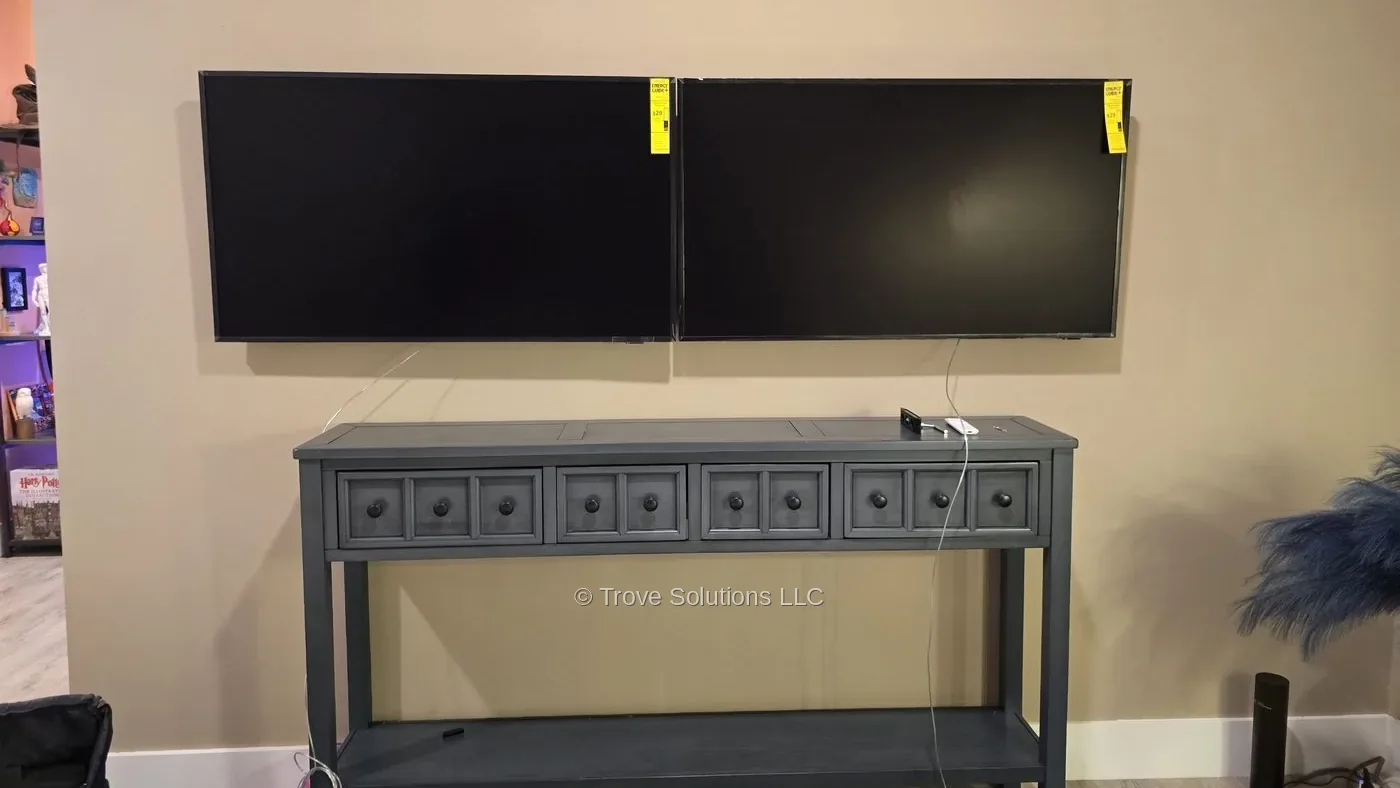
Two TVs side by side — for gaming, sports betting stations or watching two games at once. Each TV is mounted independently, perfectly level and aligned.
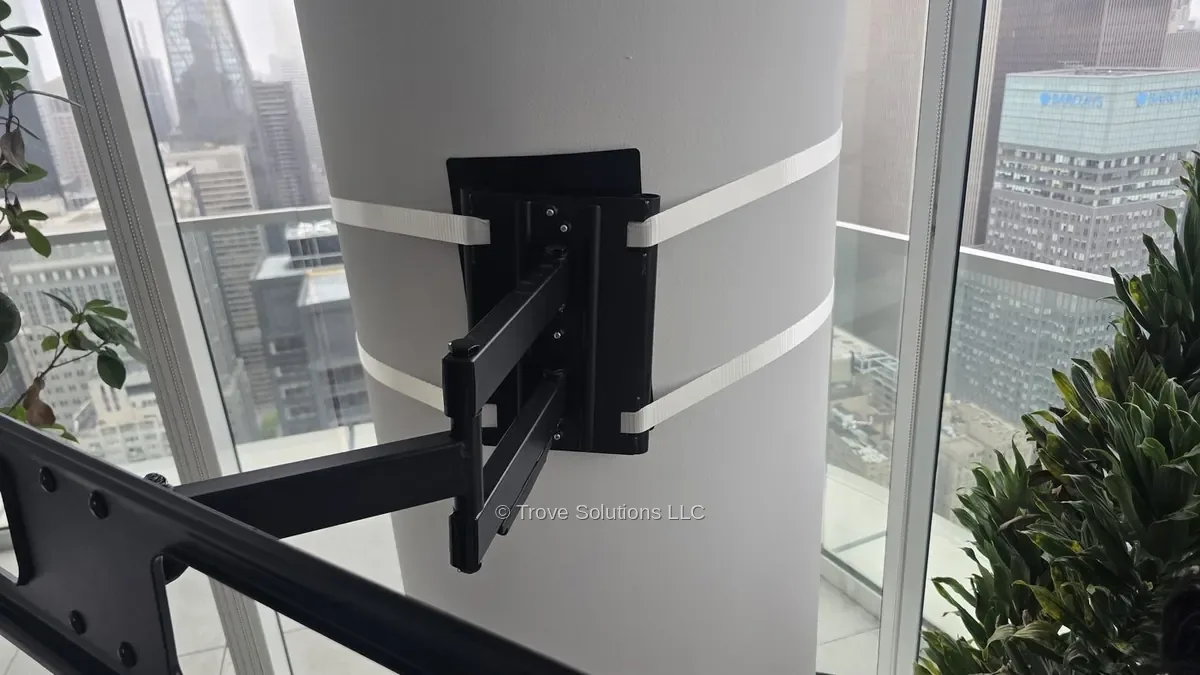
NYC building codes prohibit drilling into structural concrete columns, and most Frame TVs won't fit a column with their no-gap mount. Two solutions:
Weight limits apply in both cases.
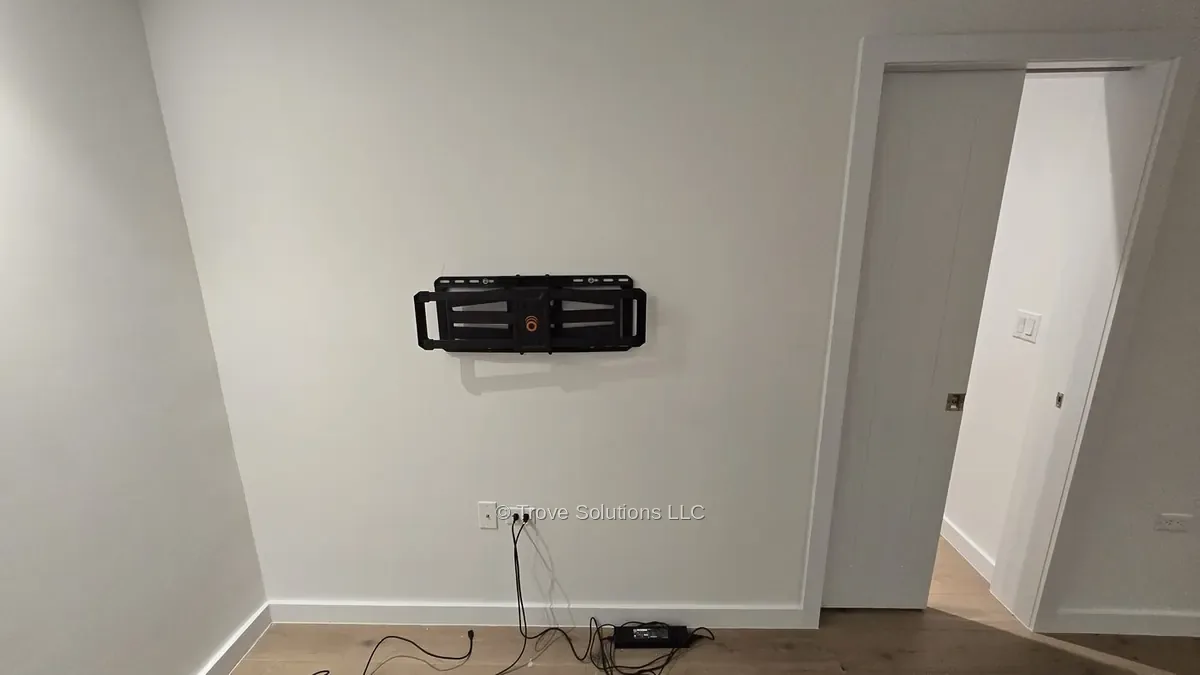
If a sliding pocket door runs inside the wall, the mount bolts must not touch it — the wrong length stops the door or scratches it. We measure the clearance of the door track first and pick bolts of the right length. Most installers overlook this.
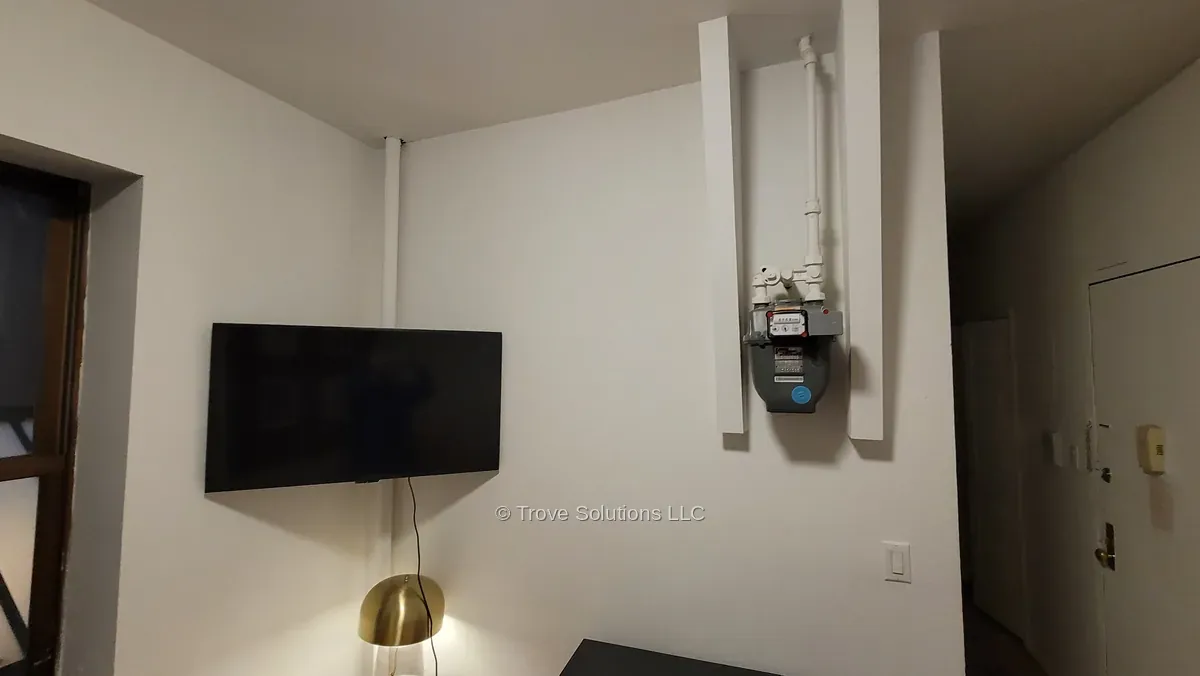
A Frame TV needs a flat wall for the picture-frame look, and the standard no-gap mount can't go in a corner. With a separate full-motion mount kit it becomes possible: the arm pulls the TV away from the wall and angles it toward you — great for hiding an electrical panel or working around a window.
The thin One Connect cable runs down the wall to an outlet or power strip.
The cable is covered with a plastic raceway for a cleaner look. You provide the raceway — we install it.
Cables run inside the wall for a fully clean look. Not available on brick, concrete or plaster walls.
You provide the TV, the mount and any cables — we provide the installation. Any wall type, same price.
Each additional TV of any size, installed during the same visit.
For drywall, per TV. Hide visible wires inside the wall for a clean look.
– In-Wall Cord Hiding Kit needed for a regular TV.
– Samsung Frame: Samsung’s in-wall One Connect cable (VG-SOCR86U), sold separately.
Complete your entertainment setup with a soundbar or shelf for a great price.
* Labor price · you provide the TV, mount & a helping hand
Samsung Frame TV installation is $120 labor for any size and model, including Frame Pro. A second TV on the same visit is $60, a soundbar or shelf is $30, and in-wall cable concealment is $50 (drywall only, kit required). The price is the same on brick, concrete, drywall and plaster.
Yes. Current Samsung Frame and Frame Pro models come with the Slim Fit Wall Mount, which holds the TV flush against the wall like a picture. You only need a separate mount if you want a full-motion arm, a fireplace mount or a floor stand.
The Frame Pro hangs flush on the same Slim Fit mount, but it uses a Wireless One Connect Box. Your devices plug into the box, which can sit up to 30 feet away in the same room, so only a power cord runs to the TV. To go inside the wall, that cord needs an In-Wall Cord Hiding Kit.
Yes. We work from 12 pm to 10 pm, so you can book your installation after work. Evening slots are often available the same day in Manhattan and Jersey City.
If you've never done it before, it's worth getting help. Whatever your wall type, drilling holes is only part of the job. The Samsung Frame doesn't use one bracket — it uses two separate wall mounts, and they have to be aligned with each other by hand, or the TV simply won't sit on them.
Samsung includes a paper wall template, but it comes in two halves that you have to tape together exactly right. If it's off, the two mounts end up too close, too far apart or out of line — and the only fix is to take them down and mount them again.
Want to try it yourself? Here’s our step-by-step guide: how to install a Samsung Frame TV, plus tips on how high to mount a TV.
If your wall is drywall, we can run the cable inside it — as long as it's Samsung's in-wall rated One Connect cable (VG-SOCR86U, sold separately; check that it fits your model). The thin cable that comes with the TV isn't rated for in-wall use. Keep in mind that Pro models, as well as models with the Wireless One Connect Box, are powered directly by a standard 110V power cord — and that cord can't go inside the wall as is. You'll need a separate in-wall rated cable and two outlet plates: an In-Wall Cord Hiding Kit.
Also, inside the wall the cable can only run straight down: vertical studs in drywall won't let it go sideways. So decide in advance where your One Connect Box will sit if it connects to the TV by cable.
A wired One Connect Box can be hidden inside the wall, but only if the wall is deep enough. Walls in New York and Jersey City are often shallow, you may still need the box to plug in your devices, and when you move out it can mean a costly wall repair.
More in our guide: how to hide TV wires inside the wall.
The One Connect Box is the external box for your Samsung Frame TV — it's where you plug in all your devices, including game consoles. It's small and barely noticeable, but some people want it out of sight.
Pros: you get not just a Frame TV, but a true picture-frame look on the wall — and you don't have to find a spot for the box.
Cons: inside the wall the cable can only run straight down, because vertical studs in drywall block it from going sideways — so plan where the wired One Connect Box will go. The wall has to be deep enough to fit the box. You may still need the box for connecting devices, and if you move or redesign the room, it can mean a costly wall repair.
Wall limits: drywall only.
Easier alternative: a TV model with the Wireless One Connect Box.
Yes! Everything except the wall anchors can be reused — for the new place you'll only need new anchors for your wall type. If you've lost your TV mounts, you can find the original mounting kit or compatible alternatives online, usually from about $50 to $180.
Every NYC wall is different: see how to mount a TV on any wall in an NYC apartment.
 4.9
128 reviews
4.9
128 reviews
Customers value this installation service for its professional look and quick basic setup.
"Arrived right on time, knew exactly what he was doing, did not make a mess at all, and extremely polite and helpful. Did everything."
"Amazing work. Fast and done well. Would 100% hire again."
"Easy to work with. Completed the job quickly and was well done."
"Very thorough job. It went quickly. My TV was mounted on the wall in less than 30 min."
"Works well. Great attention to detail!"

I passed Google's verification and earned the Google Verified badge, so you can be confident my service is reliable and safe.
Verified by Background check & business verification for Google Local Services
Book your installation today: pay with Zelle or Venmo by text, or by card online.
* Labor price · you provide the TV, mount & a helping hand
Tap the button — your messages app opens with our order template already typed in. Just edit the numbers, add your address and send. We'll text you back with times.
Text us to bookUpon completionpayment for online booking
Final price may vary due to taxes and Square booking fee. In-wall cable management is available in drywall only and requires an in-wall cable management kit (purchased by you).
Manhattan: Upper West Side, Upper East Side, Midtown, Chelsea, Tribeca, SoHo, Greenwich Village, Flatiron, Gramercy, Murray Hill, Hell's Kitchen, Harlem, Washington Heights.
New Jersey: Jersey City, Hoboken, Weehawken, Union City.
Same-day and next-day appointments available.