Tools people often use to mount a Frame TV
- Tape measure
- Pencil
- Bubble level
- Phillips screwdriver
- Drill and drill bits
- Hammer
- Tape or a stapler
Step by step
Pick the spot on your wall where you want to hang the Frame TV, as shown in this guide. You need to know where the bottom edge and the center of the TV will be.
Unpack your TV. Lay it screen-down on a soft, gentle surface. Make sure the surface is flat all the way across and has nothing hard on it. Hard objects or an uneven surface can damage the screen, so clear them away first.
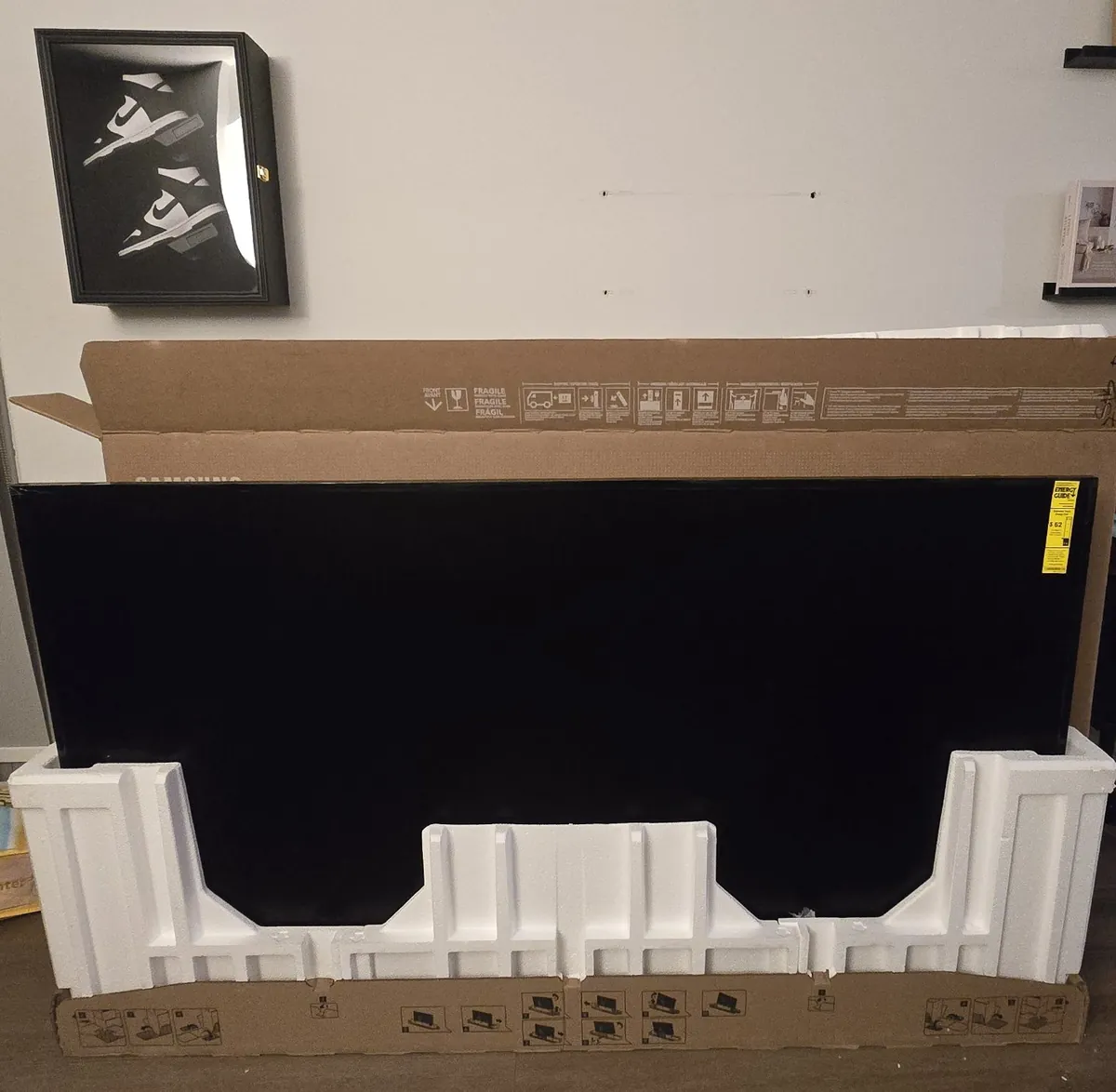
Unboxing: open the TV box and take everything out. Put the foam back in and lay the box flat on the floor. 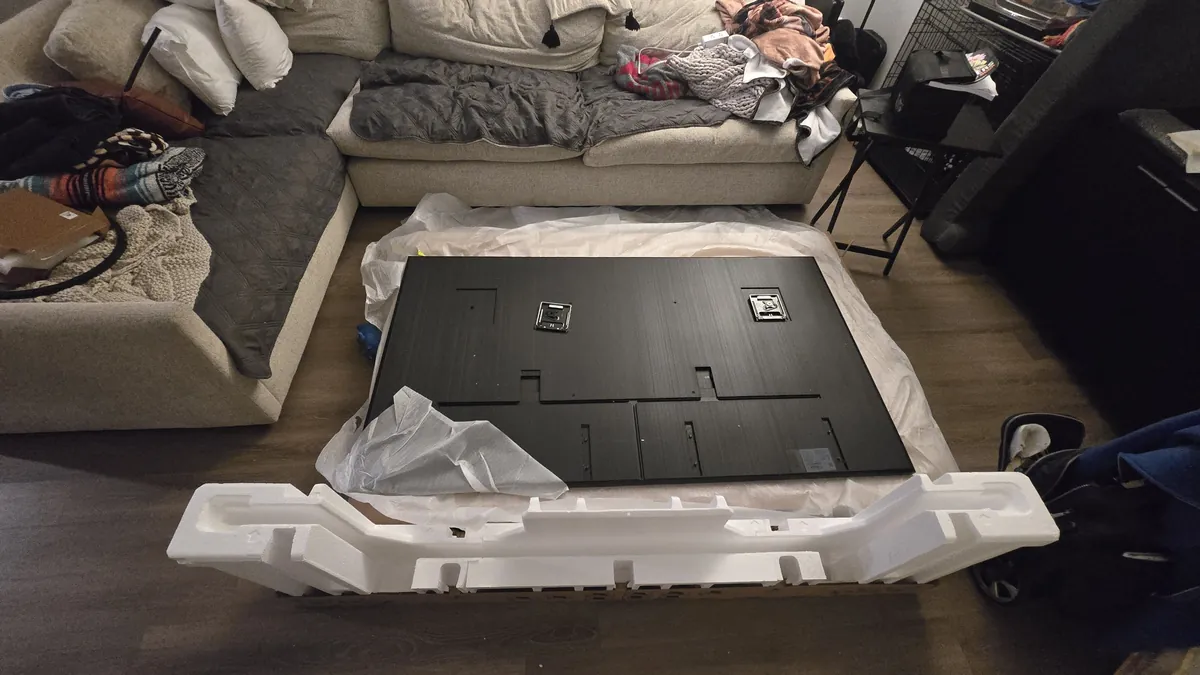
Lay the TV screen-down on the box. First make sure there's nothing on the box that could damage the screen. Get the TV mount kit box ready. It's a small cardboard box. Take out:
- Two rectangular wall plates
- Two square brackets
- Two stickers (on 2025 models)
- A bag with black bolts in two lengths and round washer-style spacers
- A bag with foam spacers in two thicknesses
Decide whether you need spacers to leave a small gap between the Samsung Frame and the wall. You may need them if:
- Your wall is uneven. On old brick, for example, a small gap keeps the TV from touching bricks that stick out.
- You want a custom decorative frame. Those can be bulkier and need extra room between the wall and the TV.
- You want extra protection against wall discoloration. The Samsung Frame warms up while it's on and gives off heat both through the screen and through the back. Over time, your paint or vinyl wallpaper can turn yellow where the TV hangs. Spacers add ventilation and help the heat escape.
Put the stickers on with the arrows pointing toward the center of the TV. Then place the spacers, if you're using them, lining up the centers of the bolt holes. Put the square brackets on top. They're marked L and R for left and right. Position yourself at the bottom of the TV and attach them exactly as you see them right now: L on your left-hand side, R on your right. From where you are, the letters L and R should read normally, not upside down.
Attach the brackets with the black bolts. Note: if you're using spacers, you need the long bolts; if not, the short ones. Tighten the bolts with a Phillips screwdriver, but don't overtighten them, or you can damage them or strip the heads. The bolts should go in easily, without extra force. If a bolt is hard to turn, stop, back it out and check the threads on the bolt and on the TV. Line the bolt up perfectly straight and try again. Stick the foam spacers on the bottom of the TV. If you put plastic spacers under the metal brackets, use the thicker foam spacers at the bottom.
Attach the rectangular wall plates to the square brackets. There are two of them and they aren't connected, so you'll have to line them up by hand. Follow Samsung's instructions for how to position these plates.
Take the paper template out of the box. It comes in two halves. Your job is to join them at the right distance apart. Have tape or a stapler ready. Before joining them, hold both halves up against the rectangular wall plates. Make sure the metal parts line up perfectly with the drawings on the template. Now join the two halves into one long strip in exactly that position.
Measure the distance from the rectangular wall plates to the bottom edge of the TV. Use this distance to figure out how high to place the template on the wall.
Put the template on the wall and level it with a bubble level. Mark every hole for each wall plate on the wall. The kit only has 8 screws and 8 anchors — 4 for each plate. That's fewer than the number of holes in the plates, but it's best to mark them all.
You've marked all the holes. Now figure out what kind of wall you have — this guide can help. Most importantly, make sure there's no hidden wiring, gas or water pipes, or AC lines inside the wall. Don't drill anywhere utilities run.
- Brick: drill the holes where you marked them. The marks should be on the bricks themselves, not on the mortar joints between them.
- Plaster: it's strongly recommended to scan the wall with a wire detector. Avoid drilling directly above outlets and switches.
- Gypsum block / hollow tile (pre-war buildings): same advice as for plaster. These walls can be as thin as 2 inches, so measure the wall thickness to make sure you don't drill straight through.
- Drywall: find the studs and figure out what they're made of. Metal studs need special anchors that aren't included in the kit. Wood studs take the screws from Samsung's kit, with no anchor. Anchors don't go into wood studs.
- Concrete columns and load-bearing walls: before you start, ask your super whether you're allowed to drill the wall you want to use. Structural elements are usually made of very hard concrete; they carry the weight of the whole building, and drilling into them for household needs is often prohibited.
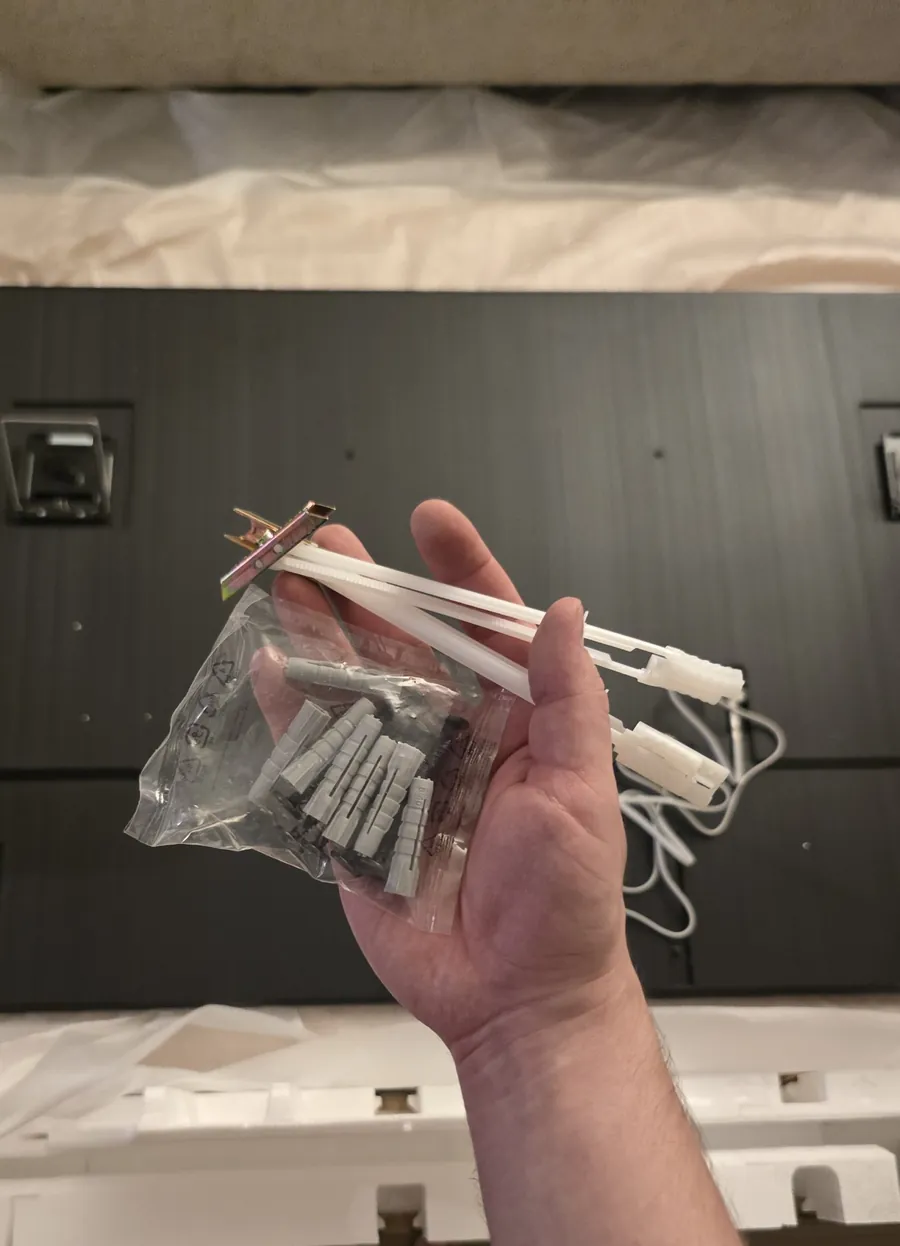
The mounting kit comes with 8 gray anchors. If you have drywall with metal studs, add flip toggle bolts on top of those to fasten the mounts to the wall as securely as possible. 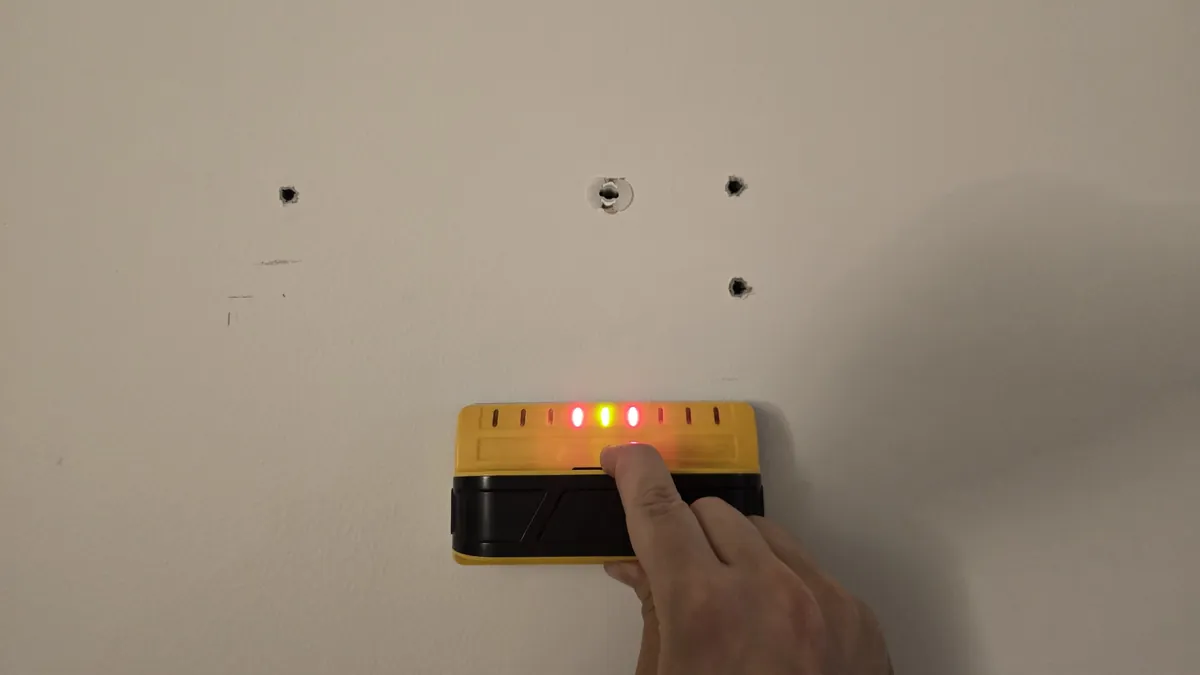
Make sure the mounts will be fastened into studs, not just into hollow drywall. Drilling tips:
- The anchor should go into the hole snugly, with noticeable effort — otherwise it won't hold in the wall.
- Drill with a bit slightly smaller than your anchor. You can always make a hole bigger if you need to, but you can never make it smaller once you've drilled it with a bit that's too big.
Tap in the anchors with a hammer. They should sit tight in the wall and never fall out or wiggle in the hole.
Hold your wall plates over the marked spots and start the screws. Don't tighten them yet. Double-check that the distance between the wall plates matches what you measured on your template. Then tighten the screws.
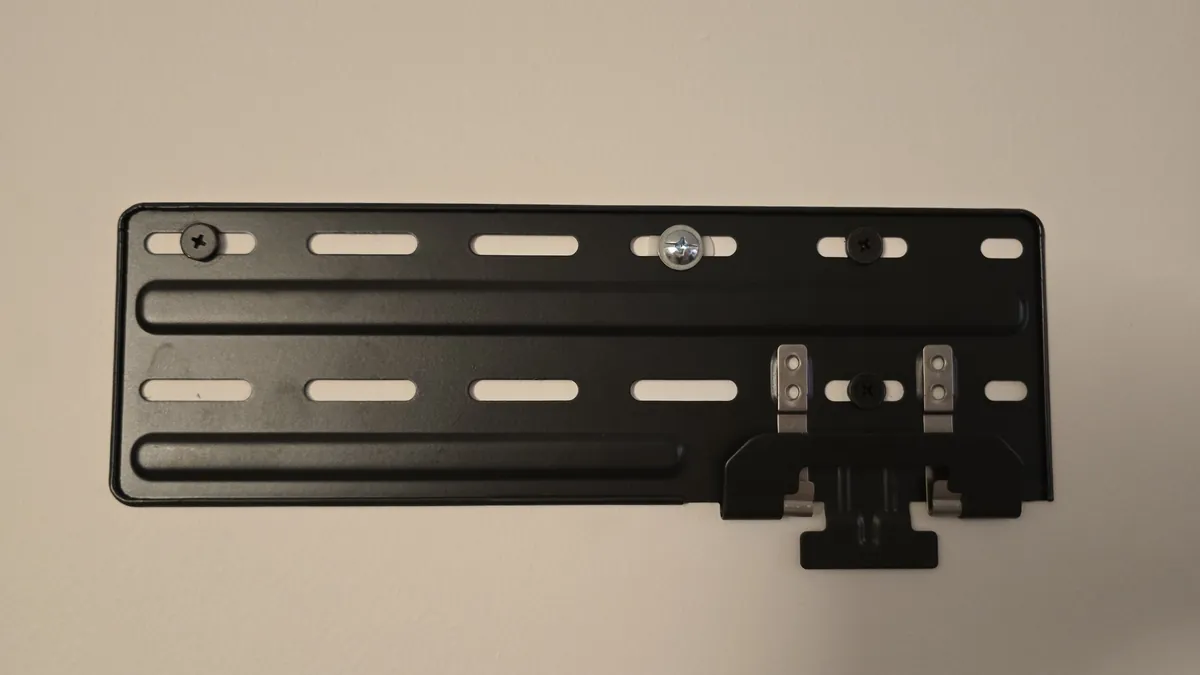
Screw the first TV mount to the wall. 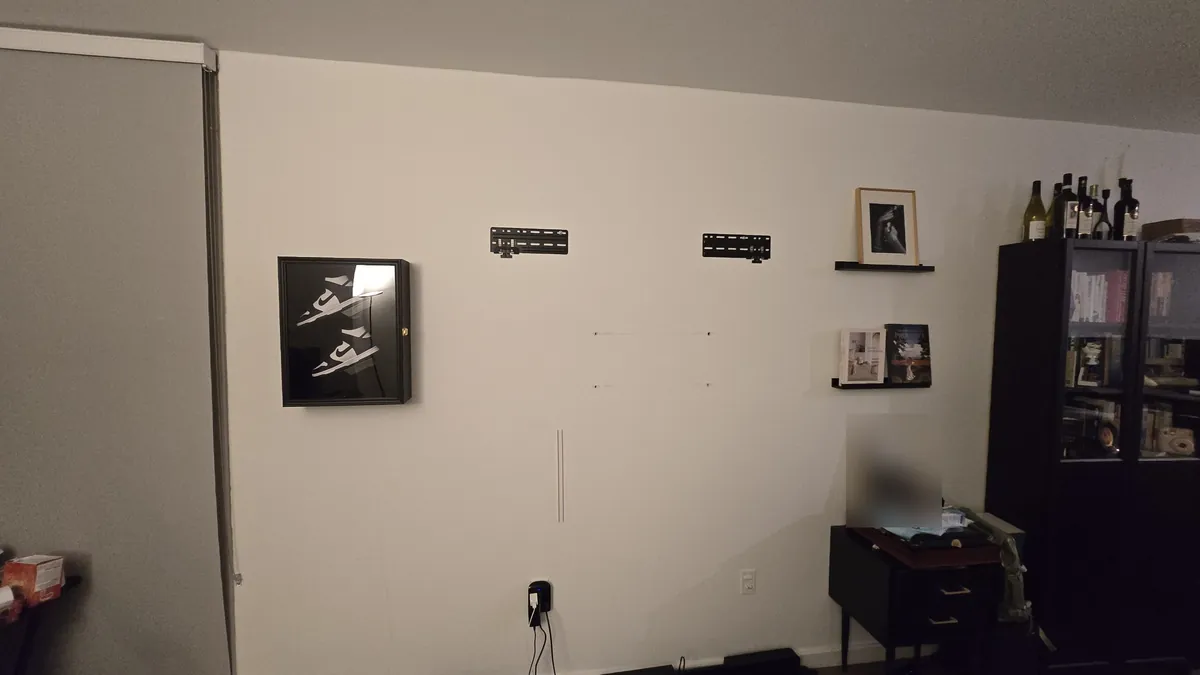
Screw on the second mount. Check that the distance between the two is exactly what you measured with the template. Connect all the cables your Samsung Frame needs. You may have just one thin cable on a 2025 model, one thick power cord on a 2026 Frame Pro, or several cables, including HDMI and USB, on a standard 2026 Frame. Run all the cables through the channels at the bottom of the TV. Don't use anything metal or sharp to push cables into the channels. Some models have extra plastic cable clips — install them exactly as shown in Samsung's instructions.
Let's hang the TV! Flip the shiny hooks on the square brackets up — that makes it easier to catch the hooks on the wall plates. Get a friend and hang the TV on the wall together.
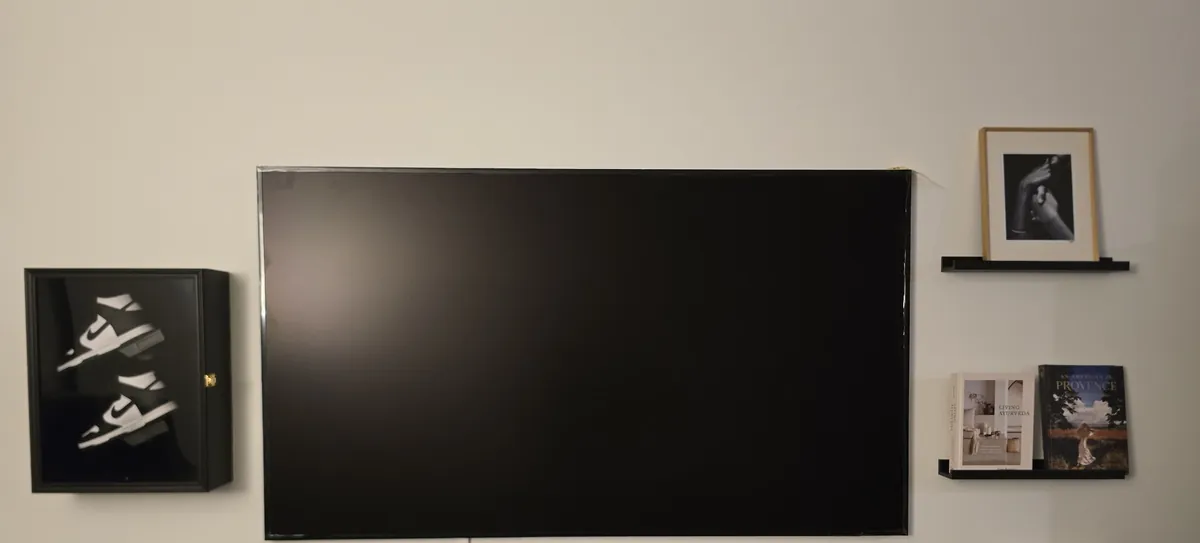
Hang your Frame TV on the wall. You can level the TV by sliding it left or right, the way the mount is designed to work. Put a bubble level on the top edge of the TV and shift it a little to the left or right until it's perfectly level.
Peel off the protective film and snap on the decorative bezel. Connect the cable to the One Connect Box, if your model has one. Plug the TV in.
You're all set! Find the remote in the plastic bag, turn on the TV and follow the setup prompts.
If you're in New York City or Jersey City and having trouble installing your Samsung Frame TV, we can send a pro to your home.


 Background check & business verification for Google Local Services